Hi from UK - issues with RD works

New members should make their first post here before posting elsewhere on the forum. Please introduce yourself, your laser machine, your software and what you hope to use the forum for.
If English is not your first language, use the Select Language box at the top right of the forum.
Andy Gardiner
Posts: 2
Joined: Thu Mar 18, 2021
Location: Suffolk
Country: England
Nickname: andyscorch
Laser Machine Make or Type: Chinese Blue & White
Laser Power: 50w
Laser Bed Size: 500mm x 300mm
Home Position: TL
Control Software: RDWORKS
RDWorks Version: v8.01.005
Ruida Controller: RDC6445
Windows Version: XP
Accessories: none

[Hi all,
I'm Andy and I have a chinese blue and white 50w with Ruida controller I've been using for 5 years, using Version 1.18 effectively!

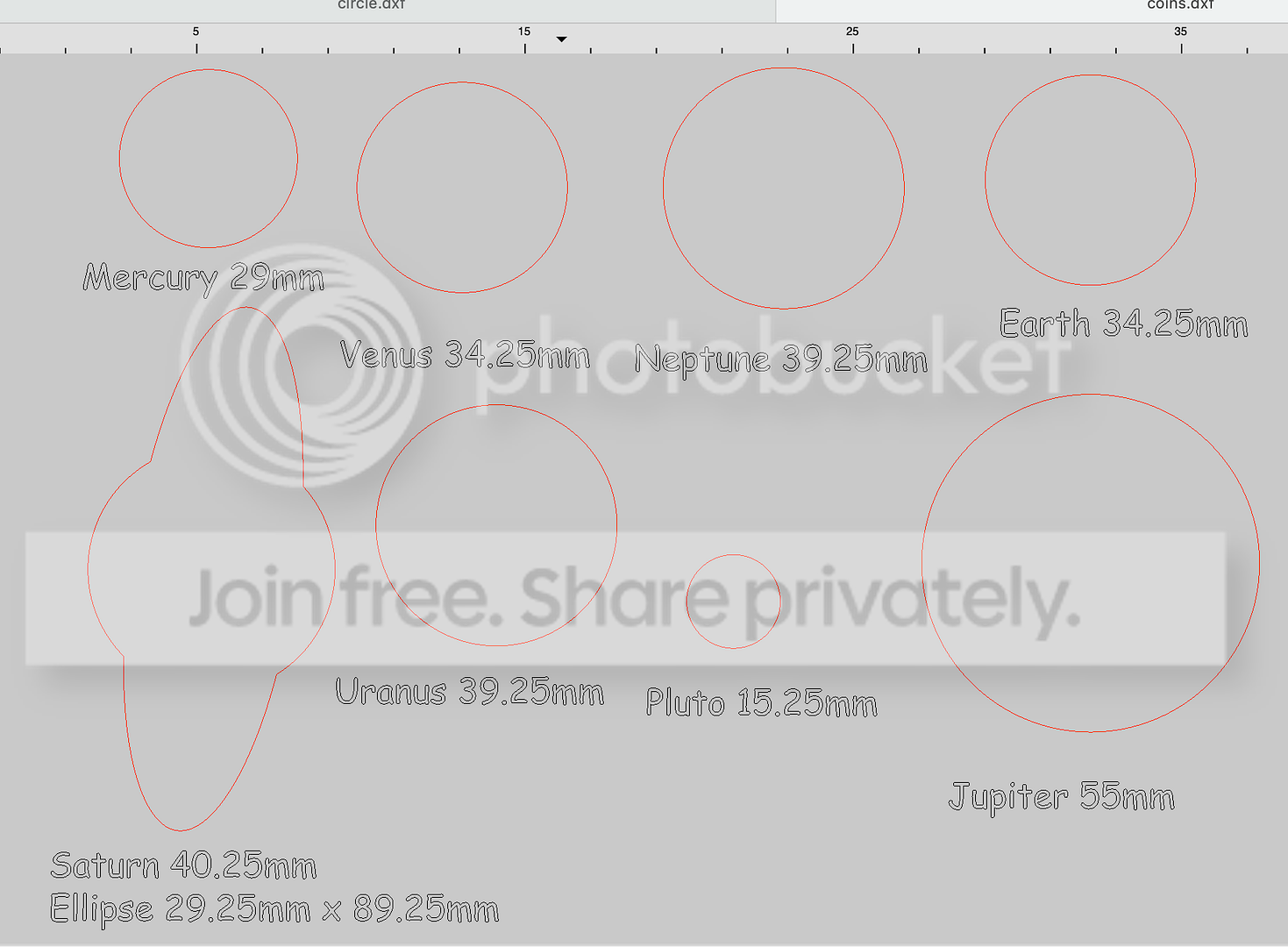
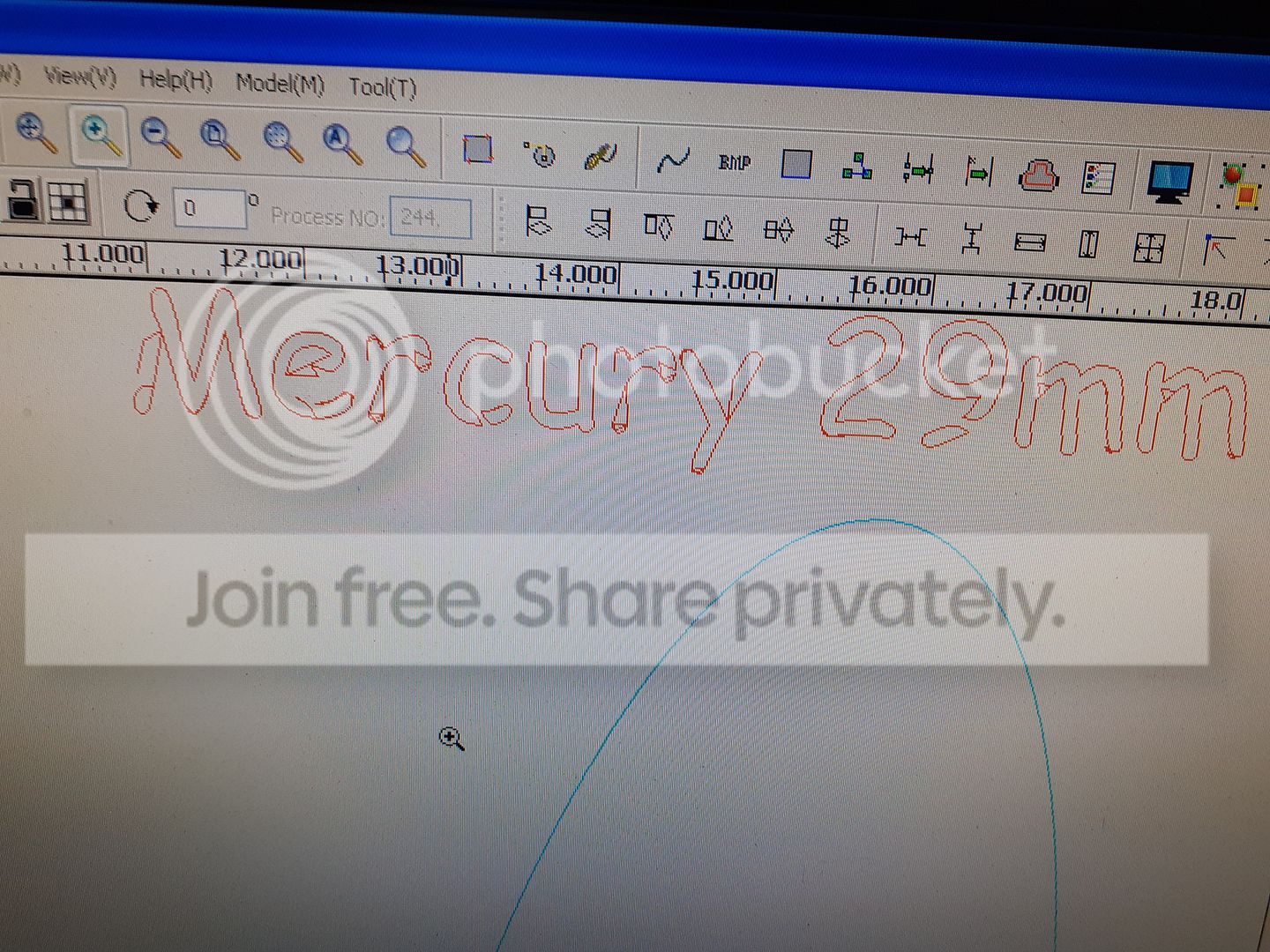
Since the beginning of this year I have had issues with imported files coming out a different size to the original and font lines are totally messed up!
I've checked that both inkscape and RDworks are both set to the same units! (mm) and I always use a dxf viewer to check files before I move them across to the computer controlling the laser. ImageImage
Pete Cyr
Posts: 1964
Joined: Sun Nov 27, 2016
Location: Suffolk Virginia
Country: United States
Laser Machine Make or Type: Boss 1630
Laser Power: 100w
Laser Bed Size: 16"x30"
Home Position: TR
Control Software: RDWORKS
RDWorks Version: v8.01.18
Ruida Controller: RDC6442
Windows Version: Win 10
Accessories: roller rotary attachment

If you convert your files to AI format you wont have a problem.
Location - VA
Equipment - Boss Laser 1630
Power - 100W
Laser Bed Size - 16" x 30"
Home Position - TR
Full RDWorks Version - v8.01.18
First name - Pete
User avatar
Gene Uselman
Posts: 2181
Joined: Thu Jul 07, 2016
Location: Suburban Minneapolis, Minnesota, US
Country: USA
Nickname: Gene
Laser Machine Make or Type: QC
Laser Power: 130W
Laser Bed Size: 900x1300
Home Position: TR
Control Software: LIGHTBURN
RDWorks Version: RDw .19 & Lightburn
LightBurn Version: Latest
Ruida Controller: RDC6442
Windows Version: Win 10 Pro
Accessories: I have a combining lenses, pin tables [homebuilt], honeycomb tables , wireless remote, Modifed Ultimate Air Assist, home built non-powered rotary device, PrusaMK4 and Mini Prusa printers.

I would also suggest downloading the trial of Lightburn software.
If the Help and advice you received here was of VALUE...
Please consider making a donation to maintain the RDWORKSLAB Forum.


The days that I keep my gratitude higher than
my expectations, Well, I have really good days.

Ray Wylie Hubbard- unfortunately deceased
Andy Gardiner
Posts: 2
Joined: Thu Mar 18, 2021
Location: Suffolk
Country: England
Nickname: andyscorch
Laser Machine Make or Type: Chinese Blue & White
Laser Power: 50w
Laser Bed Size: 500mm x 300mm
Home Position: TL
Control Software: RDWORKS
RDWorks Version: v8.01.005
Ruida Controller: RDC6445
Windows Version: XP
Accessories: none

Thanks but unfortunately Inkscape doesn't save as ai files
Pete Cyr
Posts: 1964
Joined: Sun Nov 27, 2016
Location: Suffolk Virginia
Country: United States
Laser Machine Make or Type: Boss 1630
Laser Power: 100w
Laser Bed Size: 16"x30"
Home Position: TR
Control Software: RDWORKS
RDWorks Version: v8.01.18
Ruida Controller: RDC6442
Windows Version: Win 10
Accessories: roller rotary attachment

But there are online file format converter
Location - VA
Equipment - Boss Laser 1630
Power - 100W
Laser Bed Size - 16" x 30"
Home Position - TR
Full RDWorks Version - v8.01.18
First name - Pete
Post Reply

Return to “New Members - Introduce Yourself First”